Ideal Contact
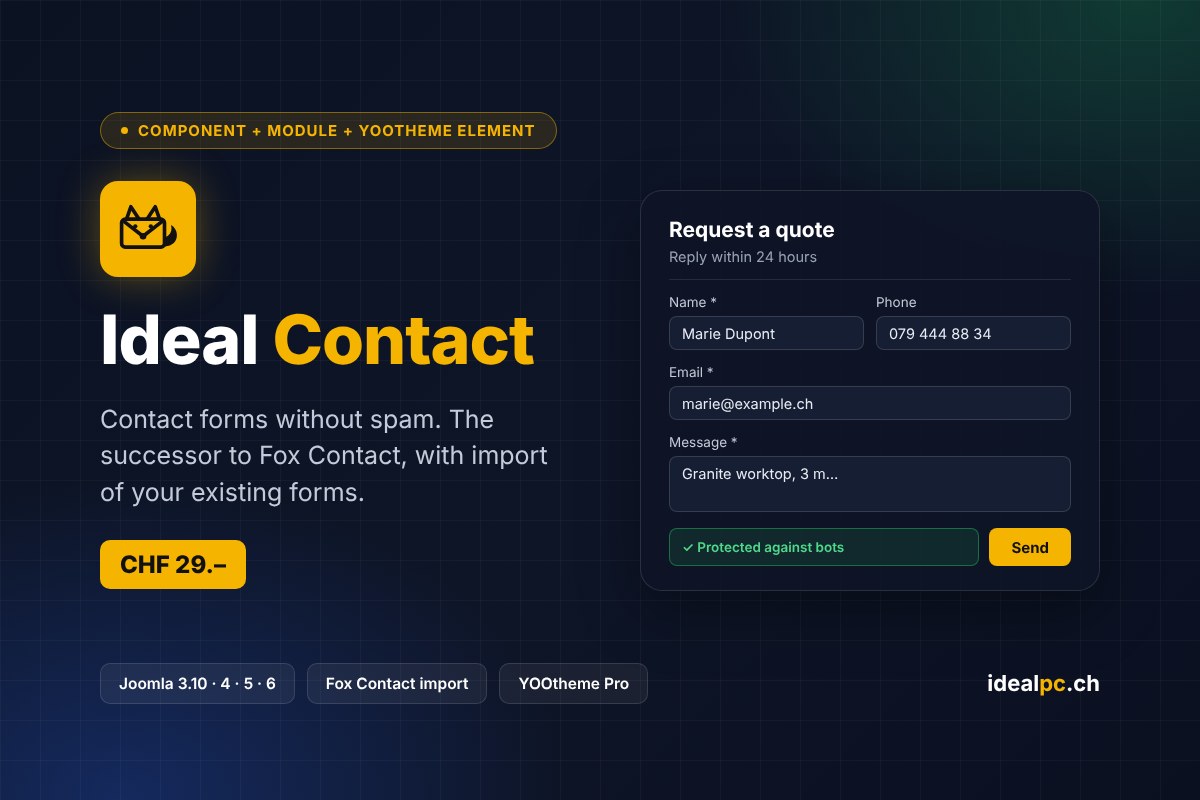
Spam-free contact forms for Joomla and YOOtheme Pro. The successor to Fox Contact: the same designer, the same settings, and import of your Fox Contact forms.
CHF 29.–
Secure card payment (Stripe) · Instant download · Prices in Swiss francs
Ideal Contact creates contact forms for Joomla 3.10, 4, 5 and 6. The form is built in a visual designer, placed in a module, a contact page or a YOOtheme Pro page, and sends enquiries by email without reloading the page. Every enquiry is also saved in the administrator.
Still using Fox Contact? Ideal Contact also installs on Joomla 3.10: it imports your forms and enquiries, then Fox Contact can be uninstalled. Joomla’s pre-update check passes, and you migrate to Joomla 5 or 6 whenever you like.
Leaving Fox Contact? The migration in 5 steps
Fox Contact is no longer maintained and does not work on Joomla 4, 5 or 6: it blocks the site update. Ideal Contact takes over your Fox Contact forms and enquiries, right on your Joomla 3.10 site; then you migrate whenever you like, without redoing anything.
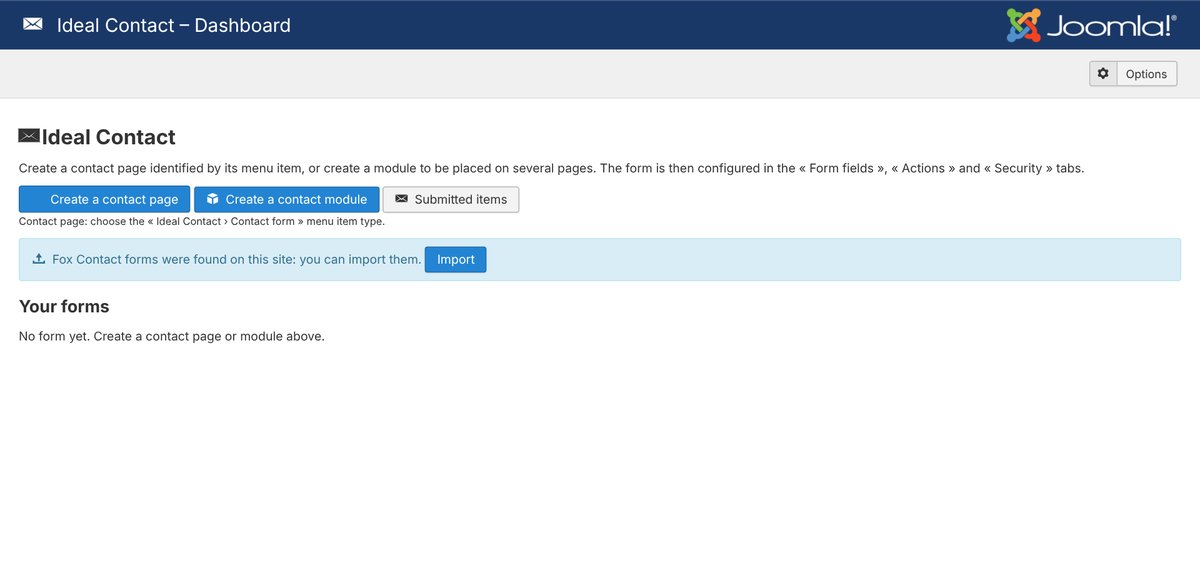
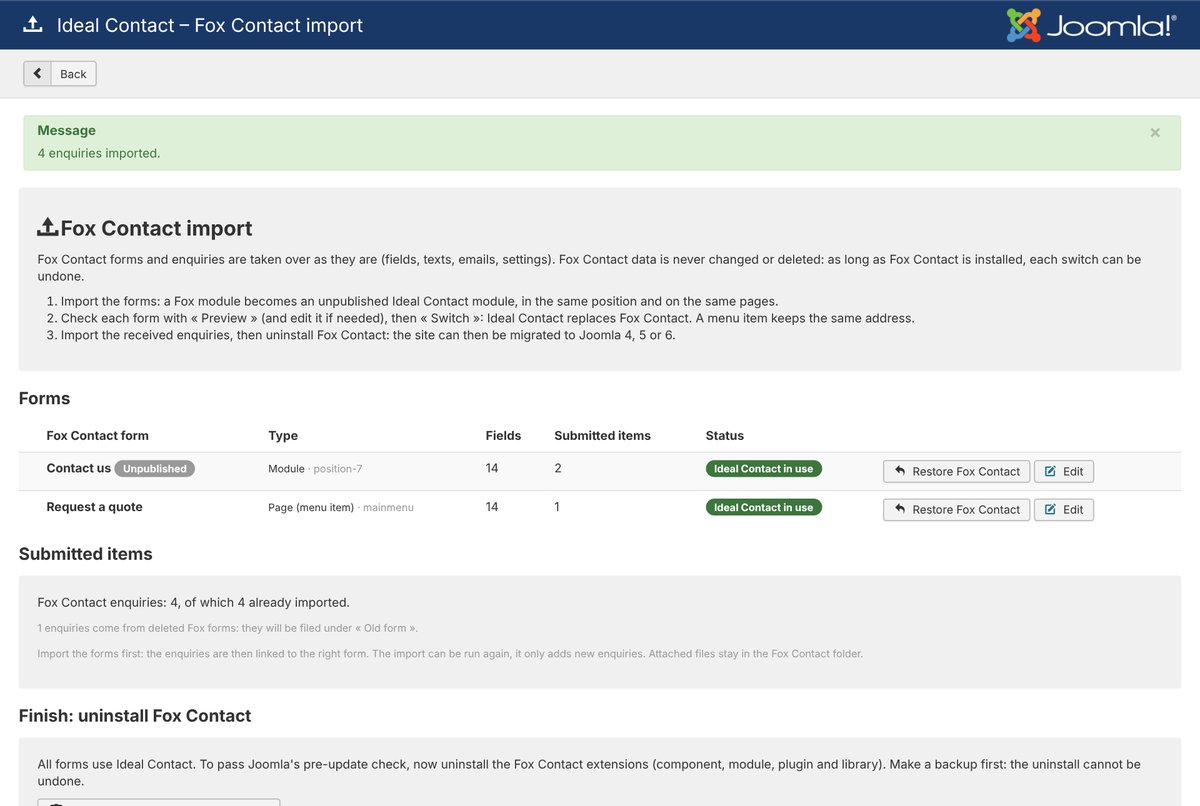
Fox Contact is detected
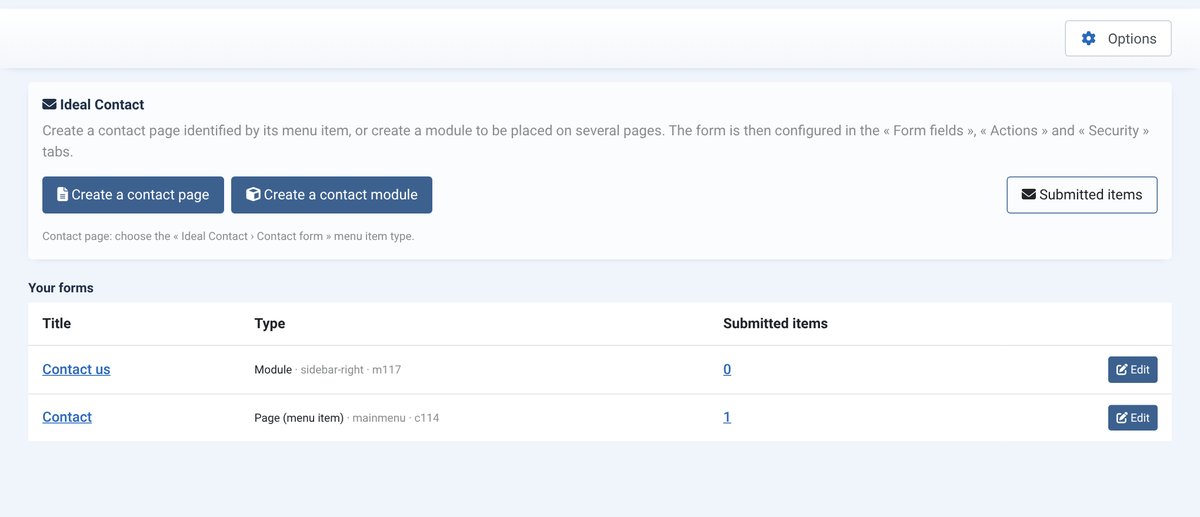
Install Ideal Contact on your site (Joomla 3.10 and PHP 7.4 are enough). The dashboard reports the Fox Contact forms it found.
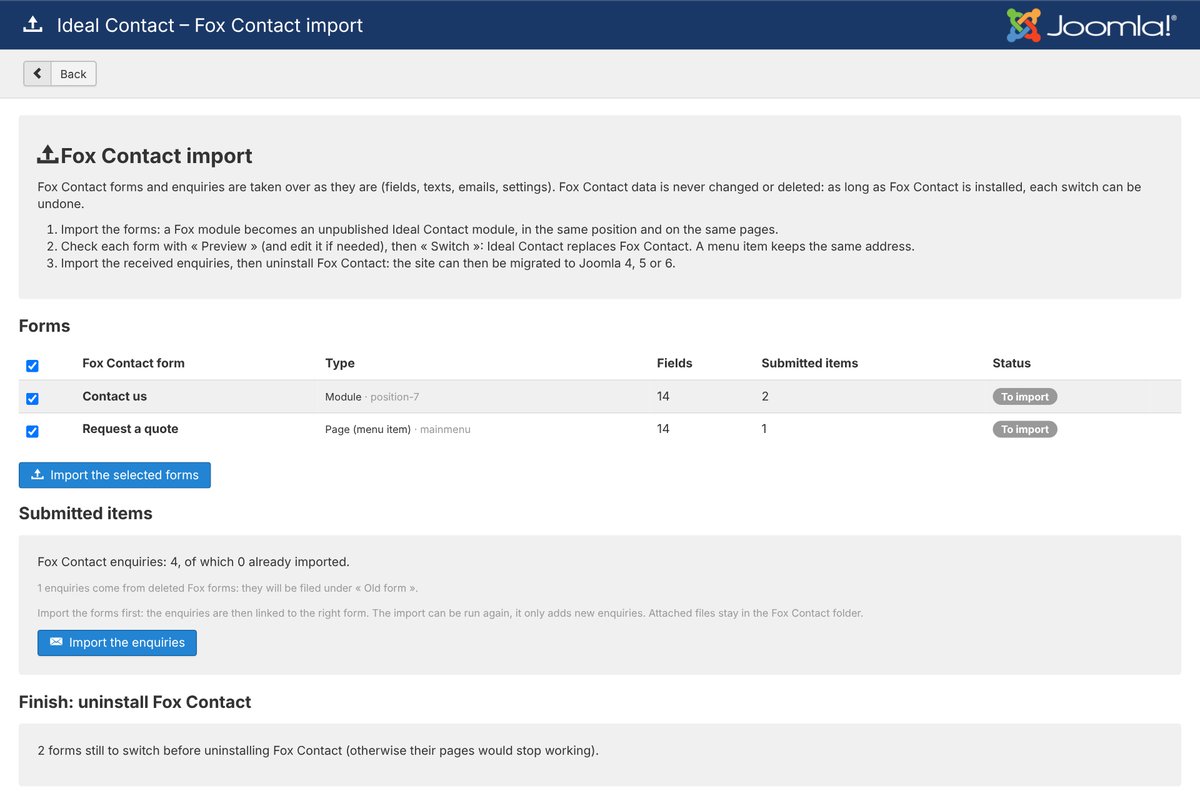
Everything is analysed
The import page lists every Fox form (module or contact page), its fields and its enquiries. Nothing is changed yet.
The forms are taken over
One click: every form becomes an unpublished Ideal Contact form, in the same position and on the same pages, with the same fields, texts, emails, settings and reCAPTCHA keys. Preview it on your site.
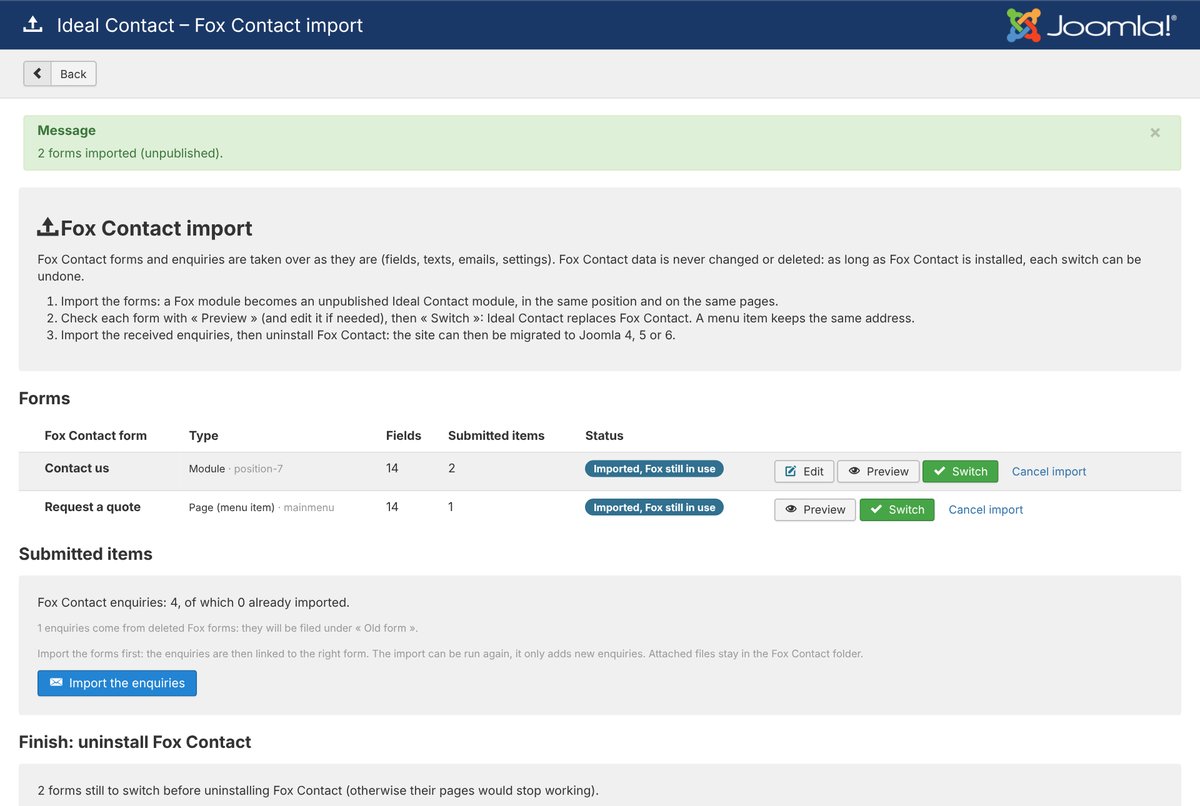
You switch, form by form
« Switch » publishes Ideal Contact and unpublishes Fox; a contact page keeps the same address. « Restore Fox Contact » undoes it. The enquiries received by Fox are imported in one click.
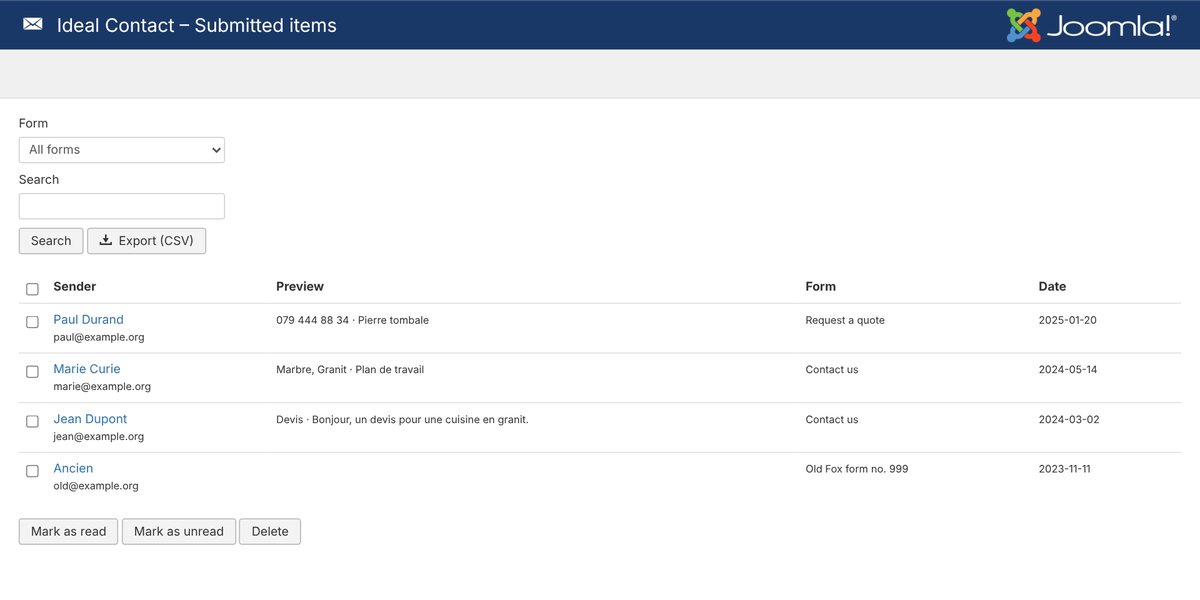
Your old enquiries are there
They are in Submitted items, linked to the right form, numbering included. Uninstall Fox Contact: Joomla’s pre-update check passes and you migrate to Joomla 5 or 6.
Fox Contact data is never changed or deleted by the import. Still, make a backup before you start.
What it does
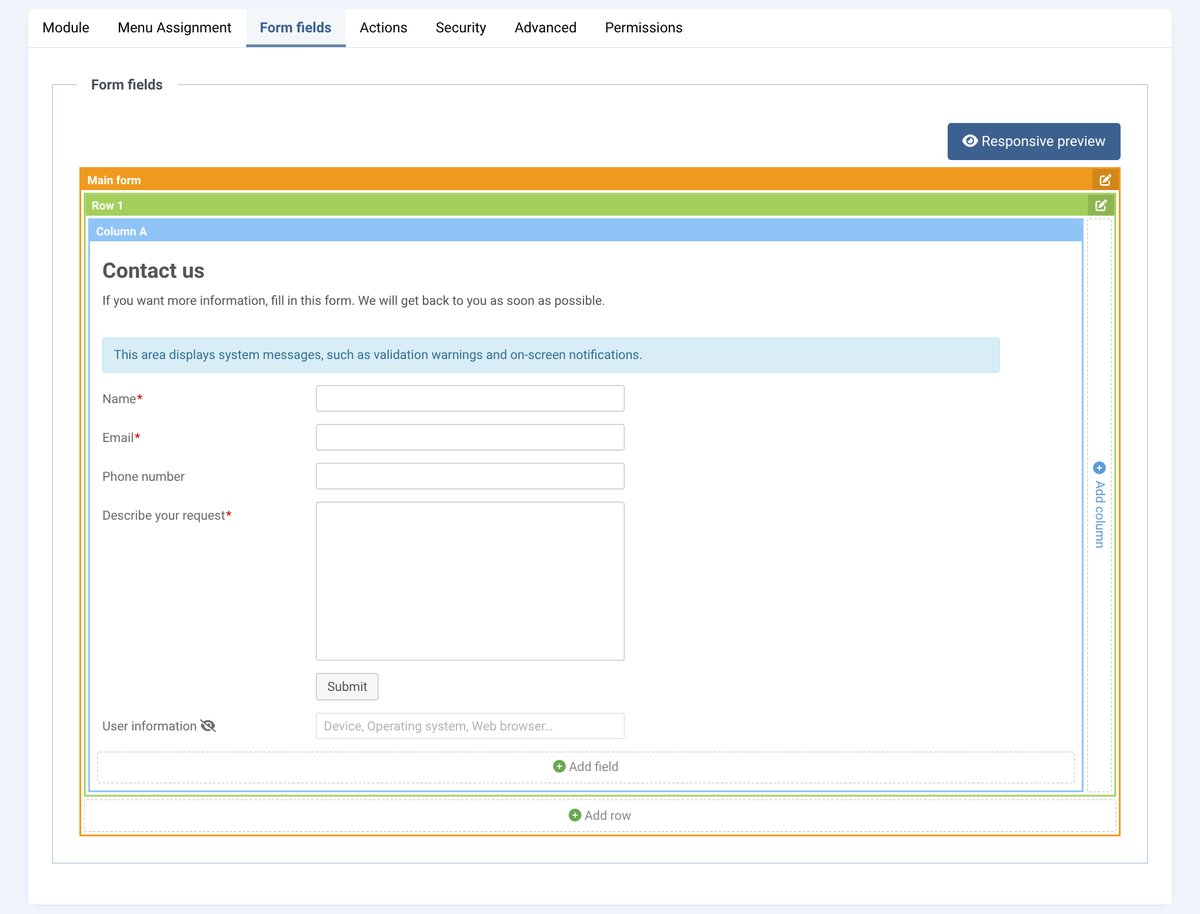
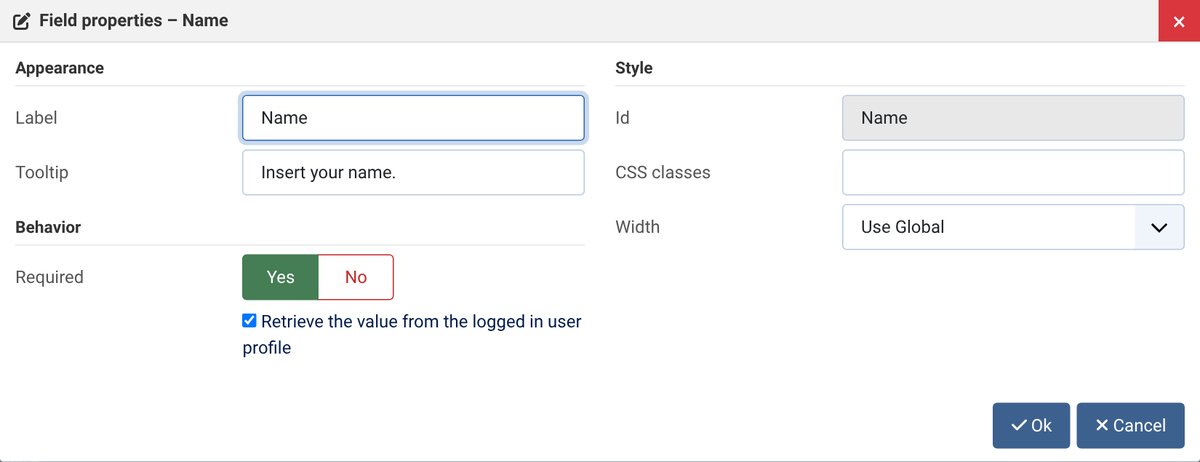
- Visual designer like Fox Contact: rows, columns, drag-and-drop fields, labels beside or inside the fields
- Preview on your site before saving, desktop, tablet and mobile preview
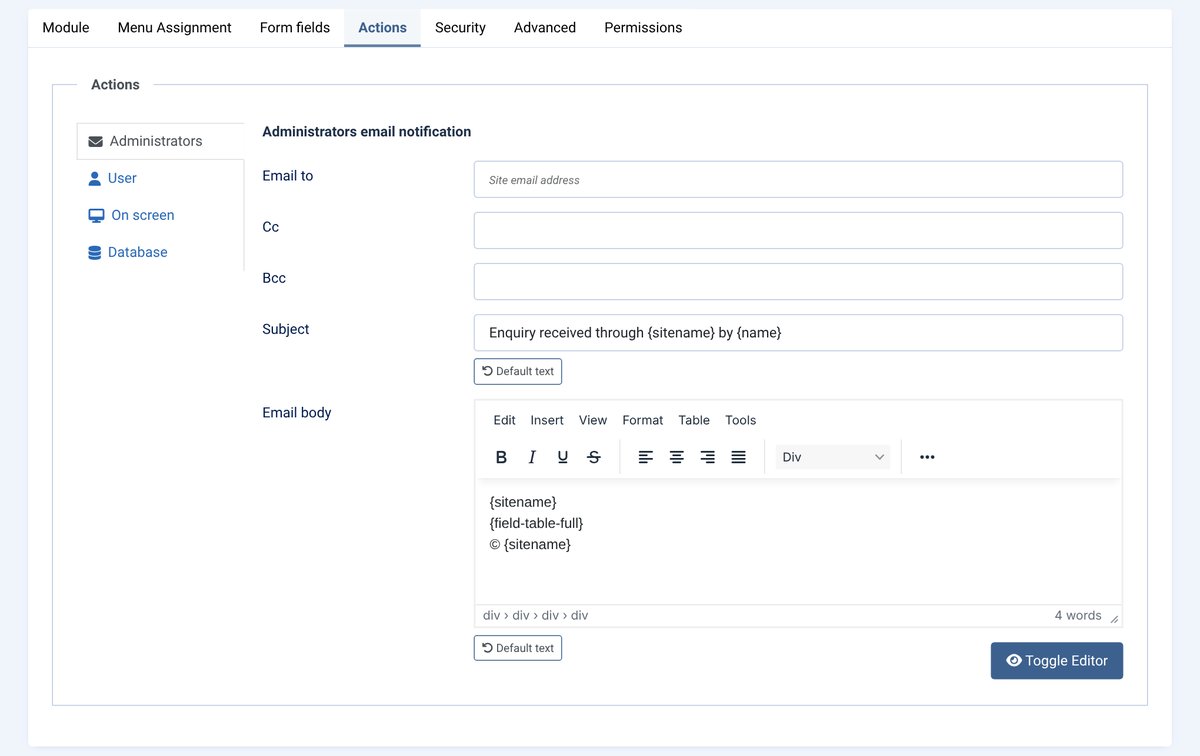
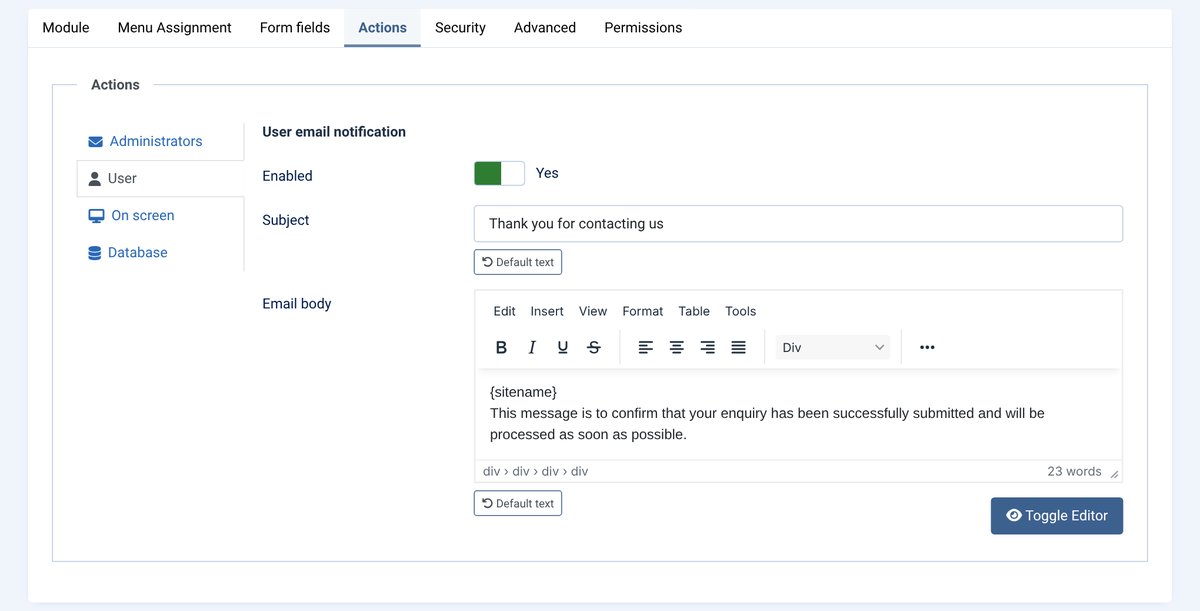
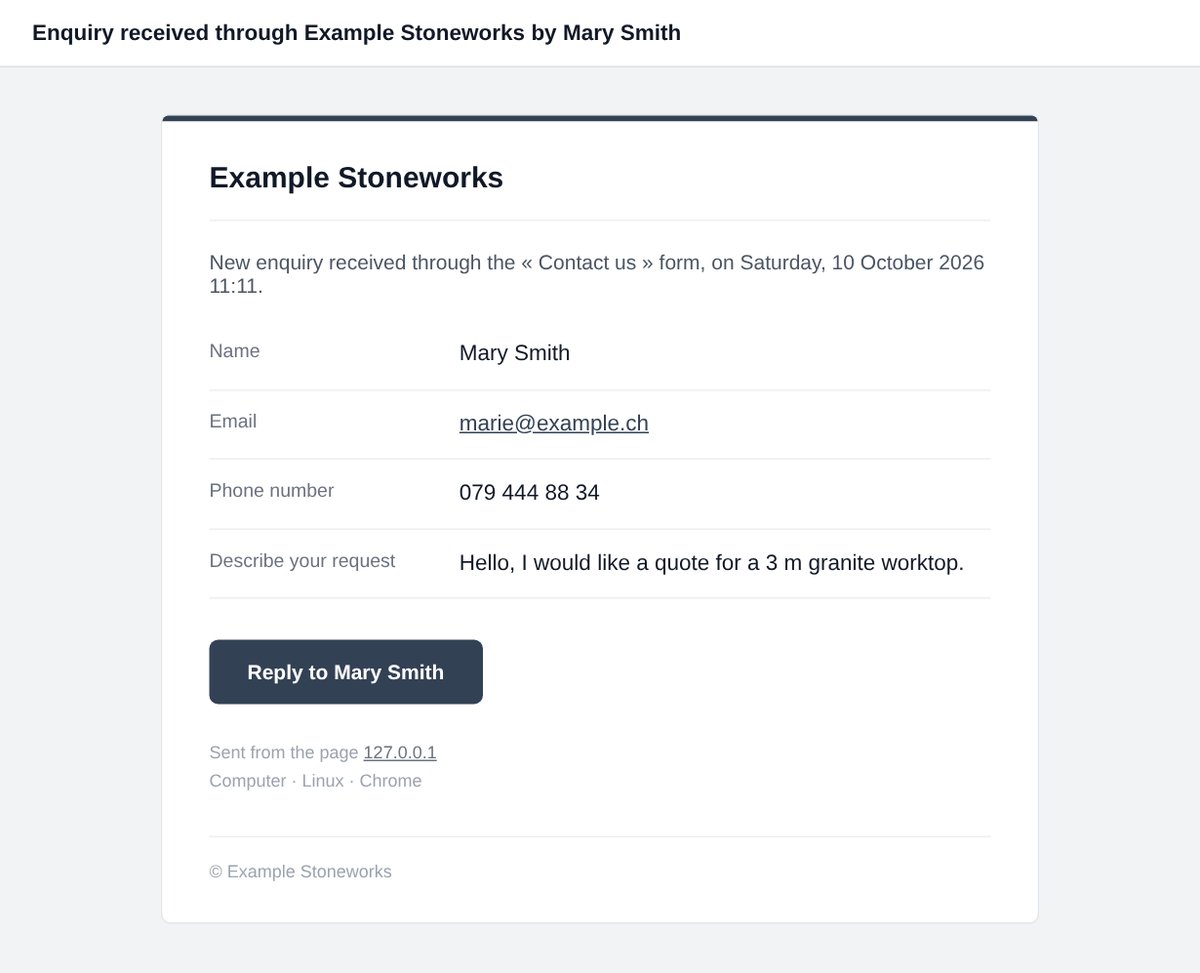
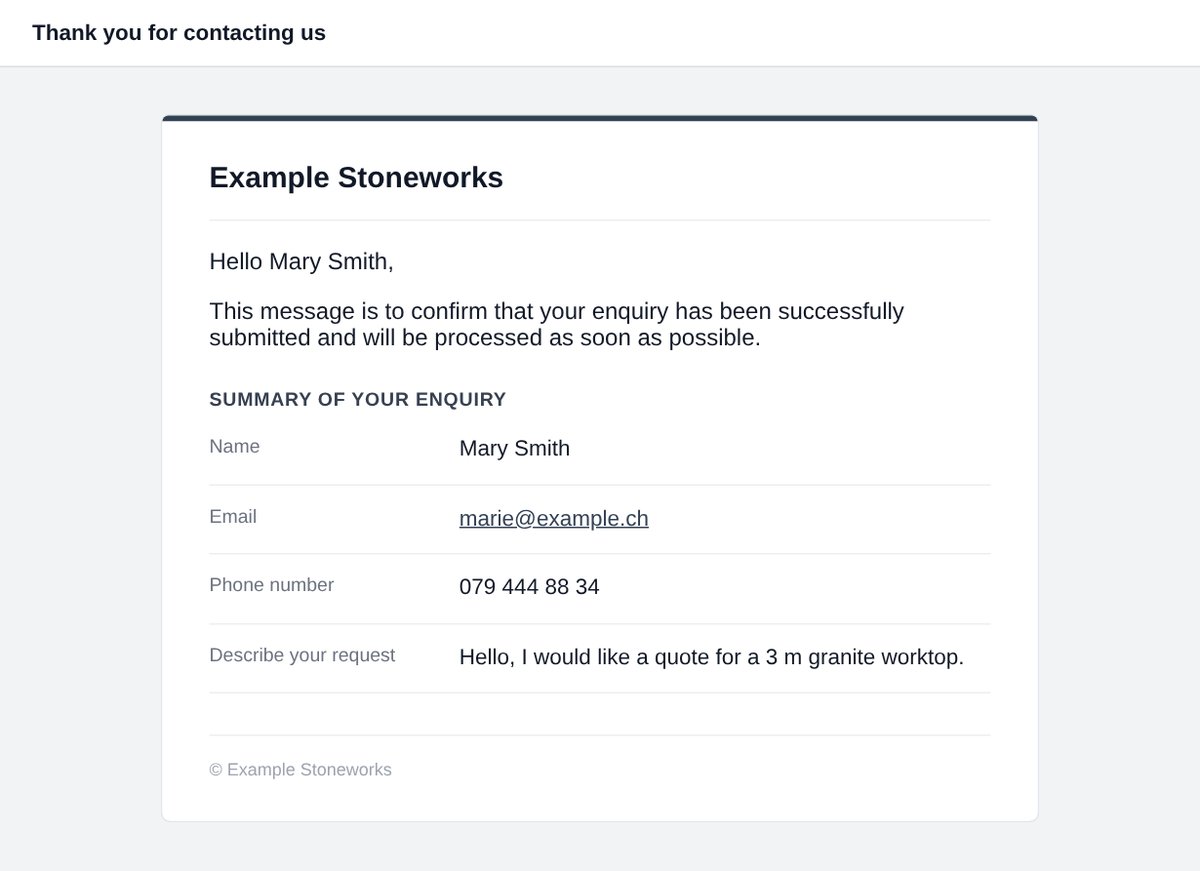
- Polished email to the administrators (Reply button) and a copy to the visitor with a summary of the enquiry
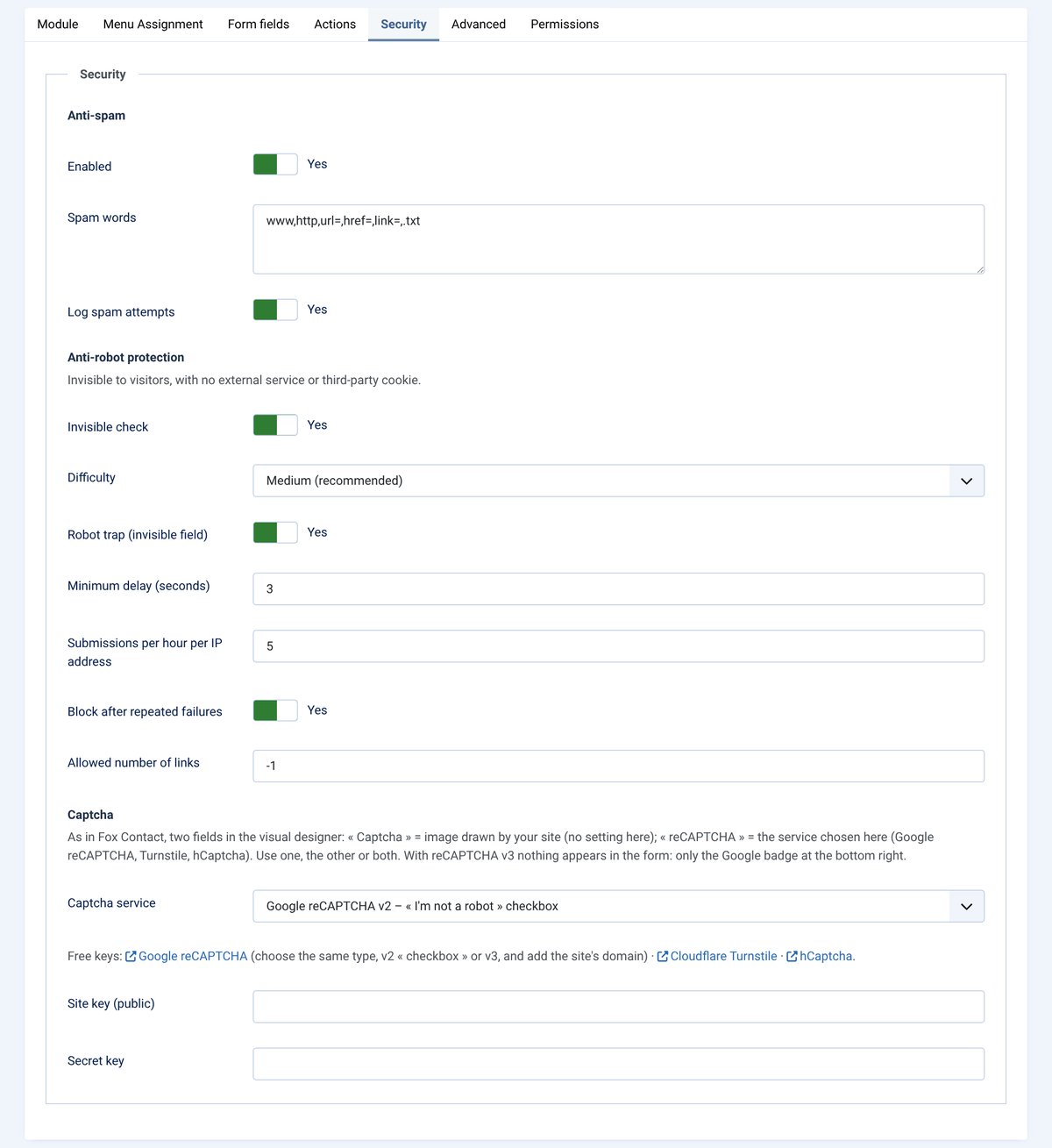
- Invisible anti-spam (browser check, bot trap, delays and limits), image captcha, reCAPTCHA v2 or v3, Cloudflare Turnstile or hCaptcha
- Attachments, formatted phone numbers, enquiry number (e.g. 125-QUOTE), AcyMailing list sign-up
- Saved enquiries: list, read / unread, CSV export
- Interface and texts in 7 languages; messages and emails in the language of the visitor’s page
- Joomla module, contact page and YOOtheme Pro element (IdealPC group), in the site’s UIkit or Bootstrap style
Coming from Fox Contact? The import brings over your forms (fields, texts, emails, settings and reCAPTCHA keys), your enquiries and their numbering. Fox Contact is never changed: you switch form by form, and can switch back.
Screenshots
How to get it
- Click « Buy » and pay by card.
- Your licence key arrives by email; the ZIP is in « My licences ».
- Install it in Joomla (System › Install › Extensions).
- Paste the key once in the update sites: new versions arrive in Joomla for 12 months.